Brand settings live under three tabs: General, Brand Guidelines, and Training Data. This page covers General — picture, details, and deletion. Integrations are also on General; they have their own guide.
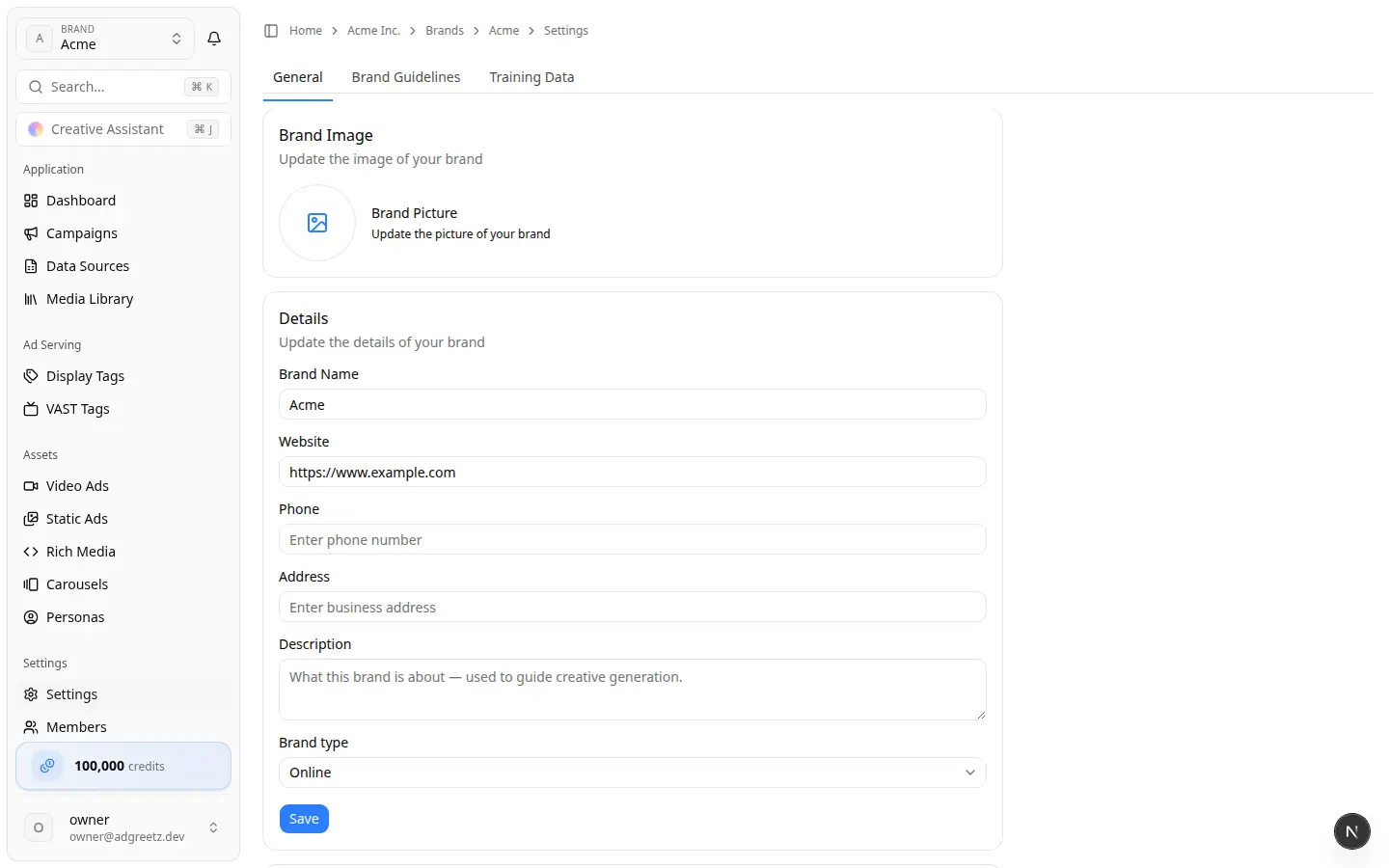
1. Open General
- Open the brand.
- Select Settings in the sidebar.
- Stay on General.
2. Update the brand picture
The Brand Image card uploads as soon as you choose a file. There is no separate Save for the picture.
- Select the image control and choose a browser-recognized image.
- Wait for the success toast.
- To replace it, select the picture again.
- Clear removes the picture.
Website extraction can also fill a missing picture. A picture you set here is not undone by later extraction of other fields.
3. Update brand details
The Details card includes:
| Field | Notes |
|---|---|
| Brand Name | 2–100 characters |
| Website | Optional after create. You can clear it, but many generators still need it. |
| Phone | Optional |
| Address | Optional |
| Description | Up to 2,000 characters. Used to guide generation. |
| Brand type | Online, Single location, or Multiple locations |
Choose Save. Invalid fields are not saved.
Warning: Saving a new website does not start extraction. Open Brand Guidelines and choose Extract from website when you want the site reread.
4. Delete a brand
Deletion is in the Danger Zone card, and only when brand deletion is enabled for your team.
Warning: Deleting a brand cannot be undone. Export anything you need first. A successful delete removes the brand and the work that belongs to it, including generated ads, campaigns, personas, members, and publishing connections.
- Confirm the header still shows the brand you intend to delete.
- Scroll to Danger Zone.
- Choose Delete.
- Read the confirmation. The dialog asks you to type
DELETE. - Type
DELETEand choose Delete again.
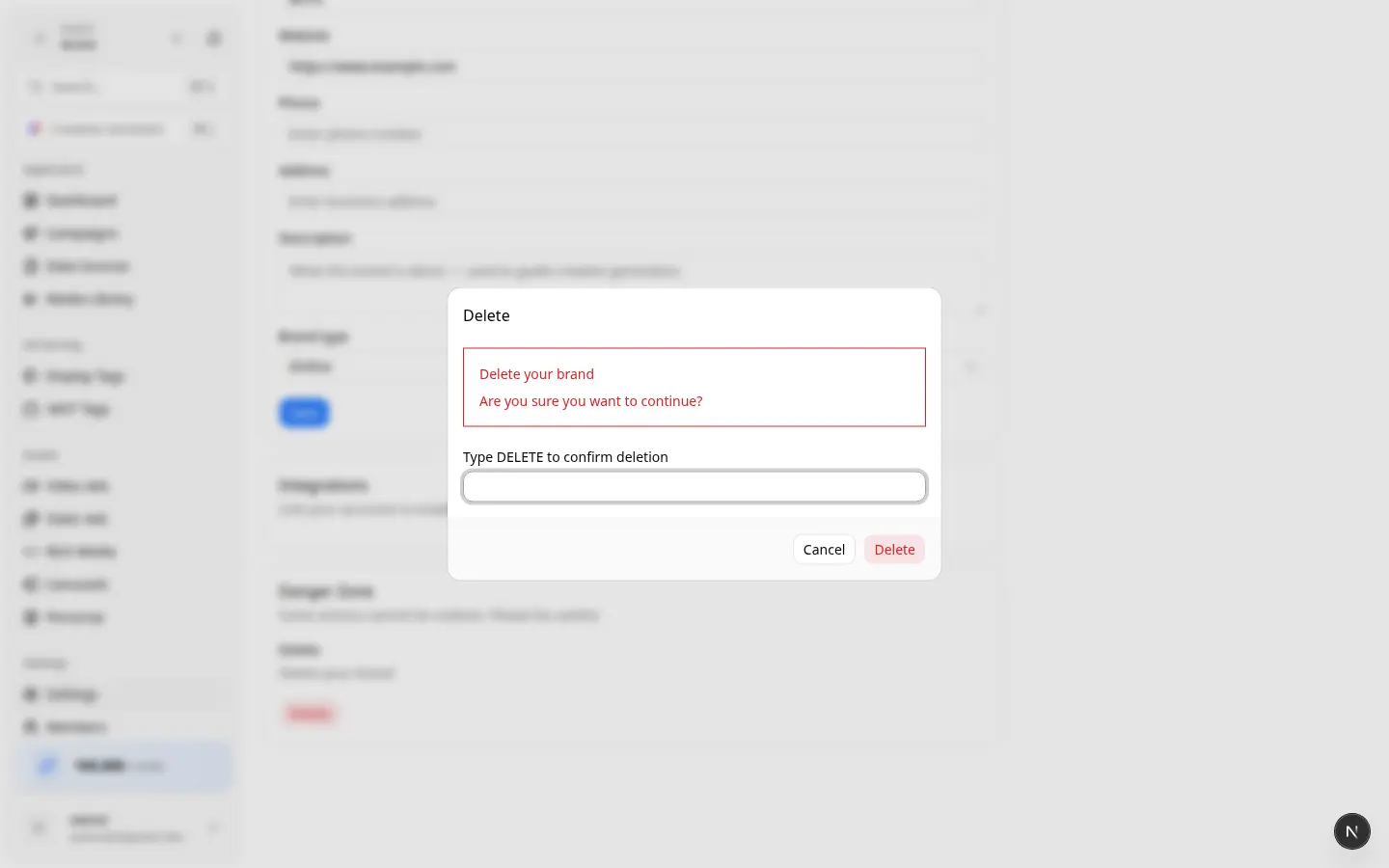
You need permission to delete the brand (typically a brand owner). If Delete fails, the brand is still there — leftover Display Tags, Data Sources, or older Creatives can block the delete. Remove those first, or ask a team owner. Do not keep retrying the same confirmation.
After a successful delete you leave the brand workspace. Use the team Brands page to confirm it is gone.
Do not delete a brand to "start over" if you only need a new website or guidelines. Update General, then extract guidelines.