Playground vs Launchpad
Choose the team Playground when exploring a format, or the brand launchpad when the brand is already set.
There are two main ways to start a full ad. Both spend team credits and both store the finished ad on a brand. The difference is whether you already know which brand owns the work.
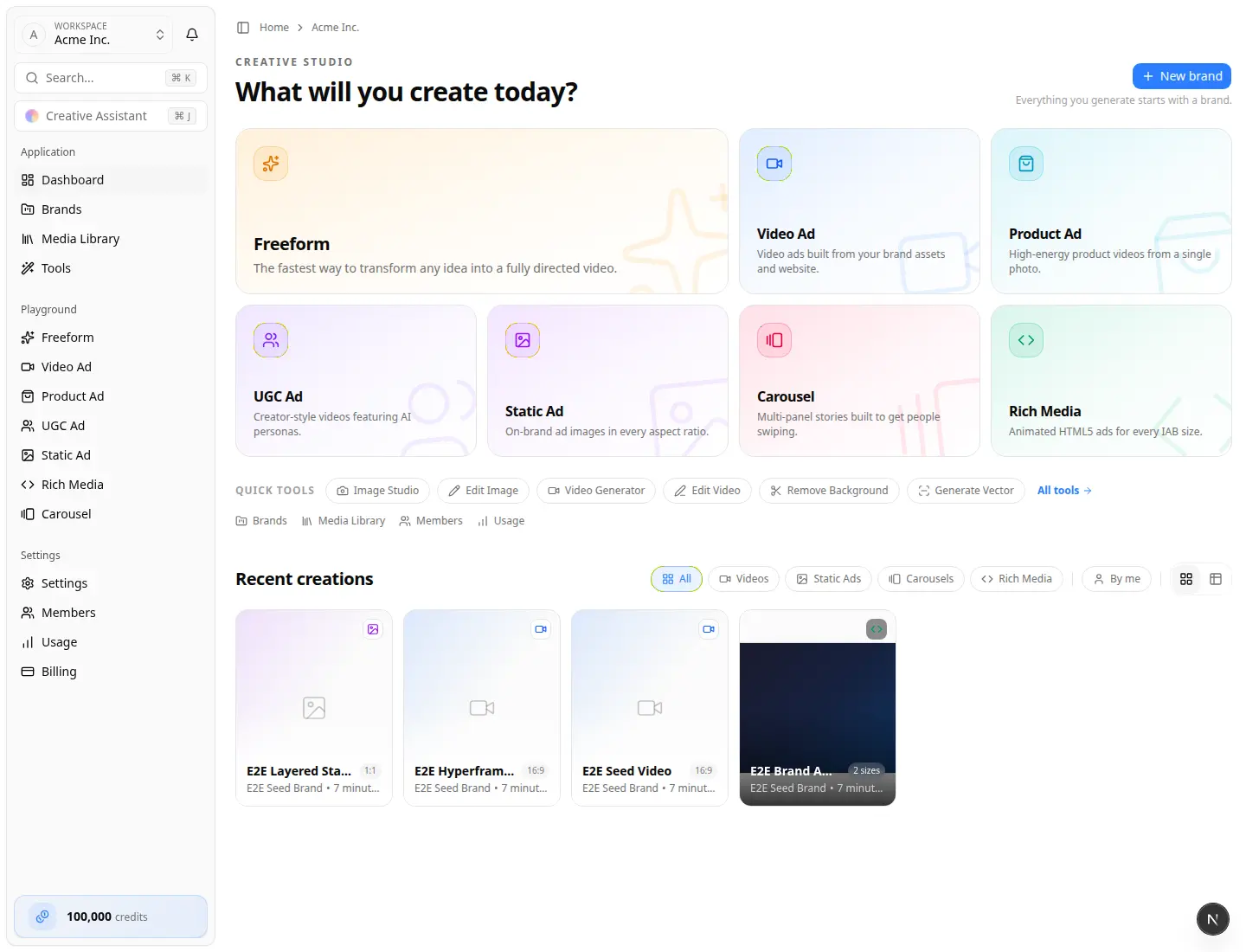
Quick chooser
| Start here | Use it when | What happens |
|---|---|---|
| Brand launchpad | The brand exists and you want the result stored there | You open that brand, pick Video Ads, Static Ads, Personas, and so on |
| Brand sidebar libraries | You are already in the brand | That format's list, plus the brand's studio for that format (the brand is already filled in) |
| Team Playground tiles | You are exploring a format and will attach or create a brand during the flow | Search a business (or pick a brand), configure, generate |
Playgrounds live on the team home (Creative studio — What will you create today?). The brand launchpad lives on /home/brands/… (Brand workspace).
Team Playground tiles
On the team home you will see tiles such as:
- Freeform — open-ended directed video
- Video Ad — brand-website video ads → Video Playground
- Product Ad — short product videos from photos
- UGC Ad — creator-style product videos → UGC Ad Playground
- Static Ad — still ads in many sizes → Static Ad Playground
- Carousel / Rich Media — Create carousel ads and Create rich media ads
Video, Static, Carousel, and Rich Media playgrounds open a Generation Studio after you pick a business: brand header, Creative direction (plus creative concept), and Output settings on one page — no Configuration / Content tabs. Open Brand options to choose an existing brand or create a new one. UGC Ad is brand-first: pick an existing brand or save a new one before you cast a creator.
Brand launchpad tiles
Inside a prepared brand:
| Tile | Opens |
|---|---|
| Video Ads | That brand's Video AI library and Generate Video |
| Static Ads | That brand's Static Ads library and Generate Static Ads |
| Personas | Brand personas, including Create UGC video from a persona image |
| Campaigns / Rich Media / Carousels | Planning and other formats |
Confirm the brand name in the header before you generate. See Work in a brand.
Same result, different front door
| Format | Brand path | Team playground | Where it lands |
|---|---|---|---|
| Video | Launchpad Video Ads → Generate Video | Video Ad tile | Brand Video Ads + video editor |
| Static | Launchpad Static Ads → Generate Static Ads | Static Ad tile | Brand Static Ads |
| Rich Media | Launchpad Rich Media → Generate New | Rich Media tile | Brand Rich Media |
| Carousel | Launchpad Carousels → New Carousel | Carousel tile | Brand Carousels |
| UGC | Personas → Create UGC video, or team UGC Ad | UGC Ad tile | Video editor (playground) or Personas UGC Videos (persona path) |
Leaving a playground resets the form when you return — each visit is a new transaction.
Not playgrounds
Team Tools (Image Studio, Video Generator, Adapt Ad, and so on) create or transform assets, not full multi-scene ads. See Tools.