After you approve a set, its page follows the ads as they render. From there you review ads that need a look, fix values, save or edit individual ads, re-run with changes, and export.
Availability: personalized creative sets are rolling out to teams gradually. If you do not see Sets in the brand sidebar, your team does not have them yet. Contact support to ask for access.
Find your sets
Open Sets in the brand sidebar. You can also reach it from the Sets button on the brand's Static Ads page, or from a data sheet's Used by card.
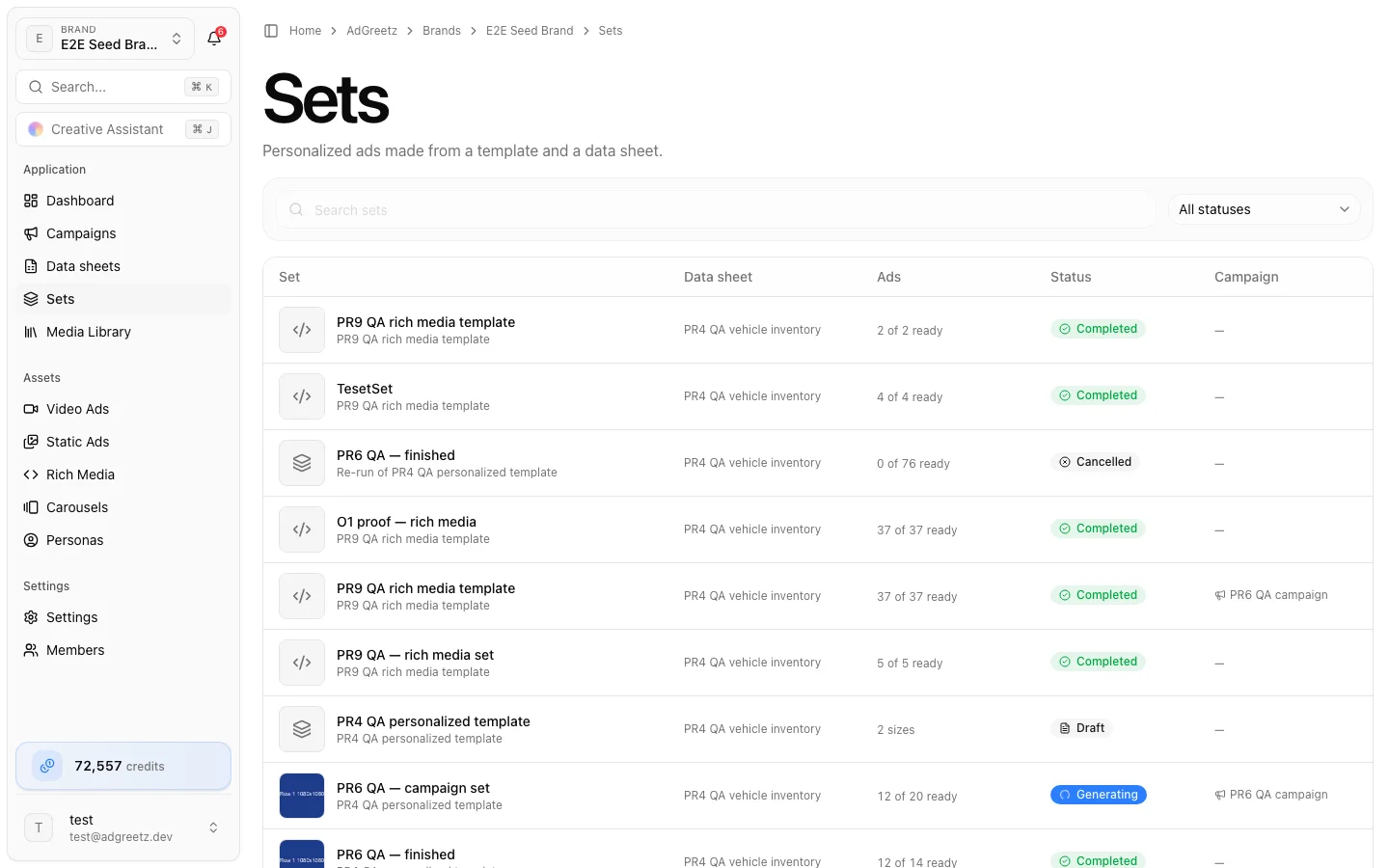
| Column | Shows |
|---|---|
| Set | The set's name (or its template's), a thumbnail, and Re-run of … for a re-run |
| Data sheet | The sheet it was made from |
| Ads | Progress, such as 112 of 120 ready, or the size count before approval |
| Status | The set's status |
| Campaign | The campaign it belongs to, if any |
| Created | When it was created |
Search by name, or filter with All statuses.
Set statuses
| Status | Meaning |
|---|---|
| Draft | Created, not prepared yet |
| Preparing | Checking rows, fetching images, and pricing |
| Ready to approve | Quoted and waiting for your approval |
| Previewing | Making the AI values of the first rows (Preview 3 rows first) |
| Queued | Approved, about to start |
| Generating | Ads are rendering |
| Paused | Stopped for a reason shown on the page — see below |
| Completed | Every ad finished |
| Needs review | Finished, and some ads need a look |
| Partly failed | Finished, and some ads failed |
| Failed | Finished, and no ad could be made |
| Cancelled | You cancelled what was left |
Follow progress
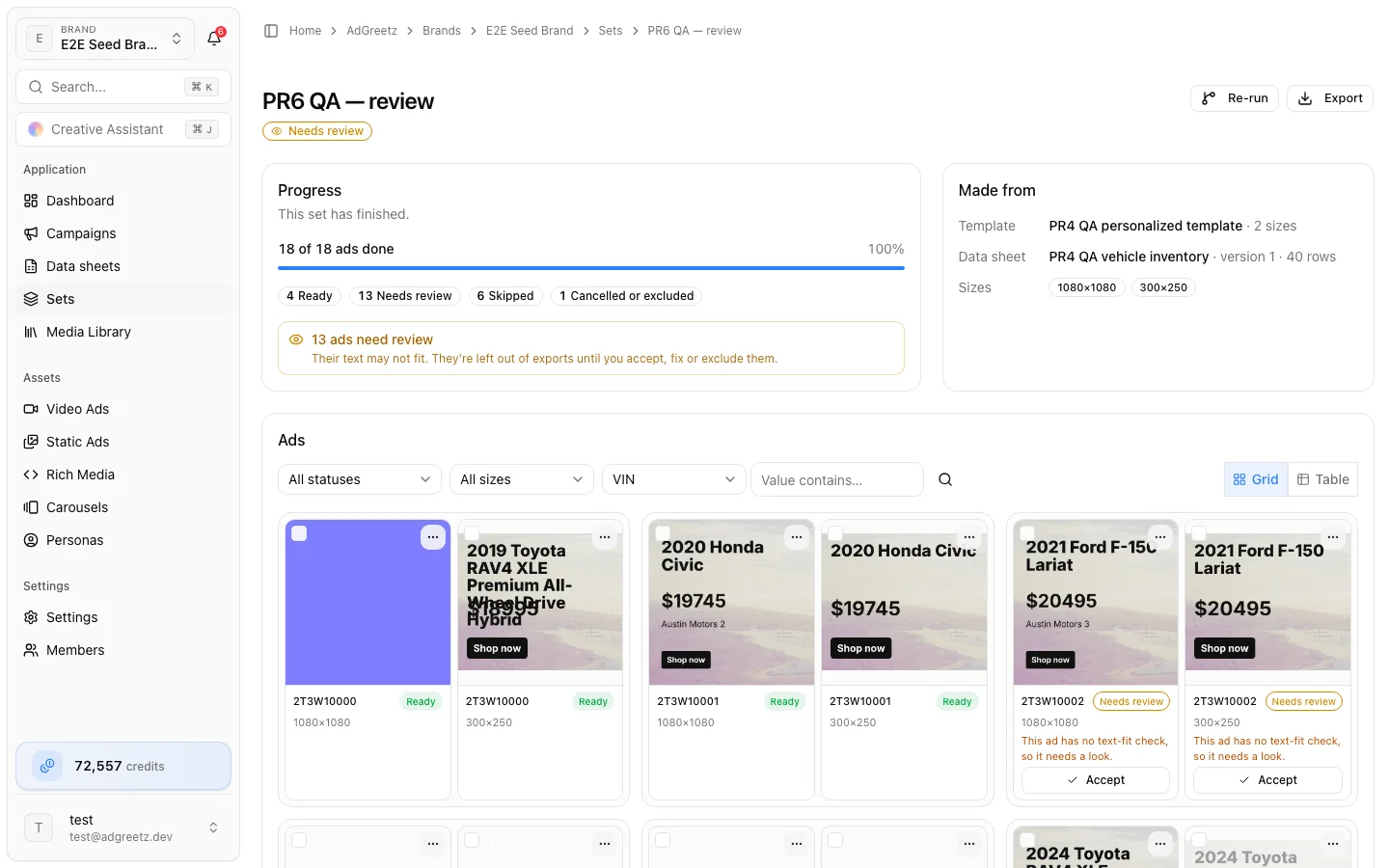
The Progress card shows 87 of 120 ads done with a bar, and counts for Ready, Needs review, Failed, Skipped, and Cancelled or excluded. It updates as ads finish. Made from shows the template, the data sheet version, and the sizes.
When a set pauses
A paused set shows This set is paused with the reason:
| Reason | What to do |
|---|---|
| You ran out of credits. Add credits, then resume. | Add credits, then choose Resume |
| Rendering stopped making progress. Resume to try again. | Choose Resume |
| An image this set needs is no longer available. Prepare the set again to continue. | Choose Cancel remaining, then Re-run — a re-run is prepared again from scratch |
| This set reached its approved amount… | There is no Resume. Choose Cancel remaining, then Re-run to get a new quote. Unchanged ads are reused at no cost |
Resume checks your credits again and continues where the set stopped. Finished ads are never redone.
Cancel remaining
Cancel remaining stops ads that have not rendered yet. Confirm with Cancel remaining, or choose Keep going. Ads already rendered stay in the set and are charged; ads not started are cancelled and never charged.
Retry failed ads
When a set finishes as Partly failed or Failed, choose Retry 3 failed ads. Only the failed ads render again. Each failed ad shows why it failed — for example This ad couldn't be rendered. Retry the failed ads to try again.
Browse ads in a grid or a table
Switch between Grid and Table above the ads. Your choice is remembered in this browser.
- Grid groups ads by row, with sizes side by side. Each tile's … menu holds that ad's actions.
- Table shows one line per sheet row: Row, Ads (that row's sizes), Status, and actions. The status shows the most serious problem first — failed before needs review — with its reason, and +2 more for the rest. Fix and Accept are buttons on the line.
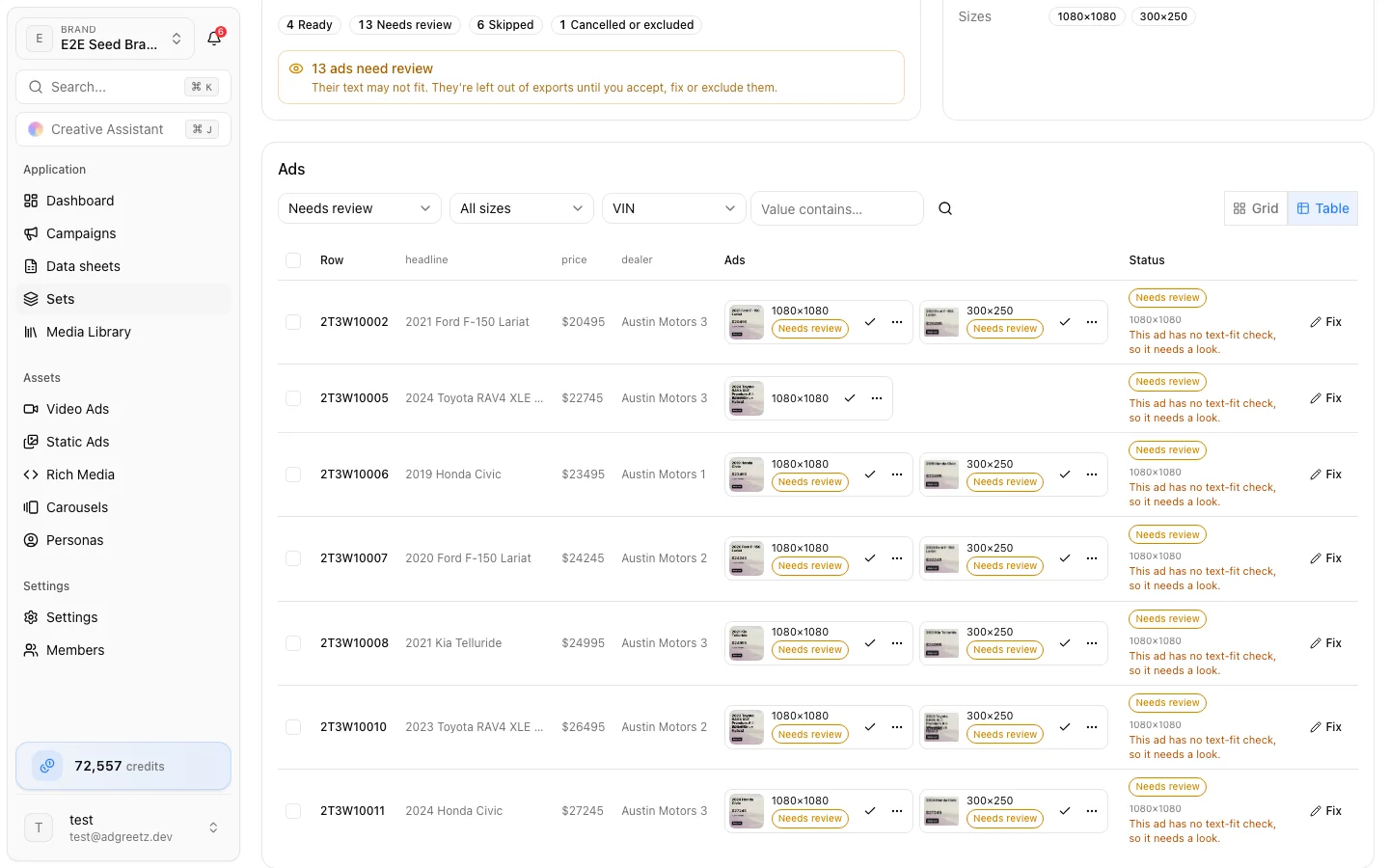
Narrow the ads with All statuses, All sizes, or a column filter (pick a column, type in Value contains…, then Apply filter). Clear filter removes it.
Select ads with their checkboxes — or a whole row, or the whole page in the table — to act on many at once: Accept, Exclude, Include again, Save to library, or Clear the selection.
Review ads that need a look
Text filled from the sheet shrinks to fit its box, down to a minimum size. When it still does not fit, or the fit cannot be checked, the ad is marked Needs review with the reason — for example "headline" doesn't fit its box, even at its smallest size.
Ads that need review are left out of exports by default. For each one:
- Accept it as it is. It becomes Ready.
- Fix a value, such as a shorter headline, and re-run.
- Exclude it.
Exclude and include ads
Exclude takes a rendered or failed ad out of the set's results and exports. Include again puts back an excluded ad that had rendered. Exclusions carry over to re-runs.
Fix a value
- Open the ad's … menu and choose Fix a value — or choose Fix on the row in Table view.
- Pick the Value to change and type the New value:
- Text is used as it is, in every size of that row.
- An image takes a public https link to a JPEG, PNG, WebP, or GIF — or choose Upload an image to pin your own file.
- A link takes an
https,mailto, orteladdress.
- Choose Save fix.
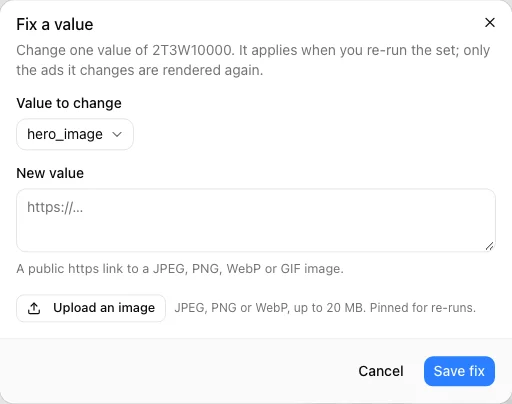
A fix applies when you re-run the set. The page shows 2 rows have fixes waiting; remove a fix from that banner. Only the ads a fix changes render again.
Save to the library or edit a copy
From a ready ad's … menu:
- Open full size or Download the image.
- Save to library copies the ad into the brand Media Library. Saving the same ad twice keeps one copy.
- Edit a copy in the editor creates a new static ad from this ad and opens it in the layer editor. It also appears in Static Ads. The set is not changed.
Rich media bundles are exported instead — see Personalized rich media sets.
Re-run with changes
Once a set has finished — whatever its final status — choose Re-run. When fixes are waiting, the button reads Re-run with 2 fixed rows.
A re-run is a new set with the same template, sheet version, rows, and sizes. It is prepared from the design and mapping as they are saved now — so edits you saved in the editor's Data panel apply too — plus your fixes. It opens its own review with a fresh quote:
- Ads that do not change reuse their earlier render and are not charged, so the quote is the most it can cost.
- Ads you excluded stay excluded. Choose Include them on the review to bring them back.
Approve it as usual. The new set shows Re-run of …, and on a campaign it replaces the earlier set's card.
A re-run uses the sheet version the first set was made from. If the sheet has been replaced since and that version has been cleaned up, preparing fails with That version of the data sheet is no longer available. Start a new set from the editor's Review set instead.